Get 55% off annual plans with code: REMOVEME

Remove personal information from Google results, hassle-free

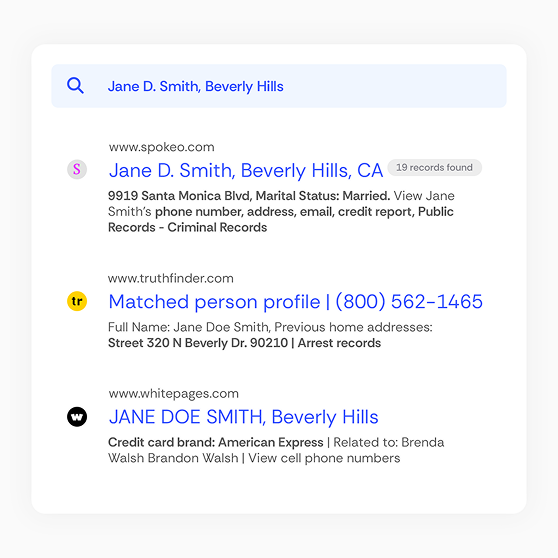
Your home address, phone number, family details, and past activity shouldn’t be easy to find on Google. Incogni removes your data from data brokers, people-search sites, real estate sites, health databases, and other sources—and helps keep it from reappearing.

30-day money-back guarantee

What do you risk if you don't remove exposed data?

You can remove your personal information from Google search results to reduce threats to your online and physical safety.

Spam

Spam

When your phone number and email appear in Google results, scammers can flood you with junk calls, phishing emails, and more.

Scam

Scam

Your exposed info, like contact details, home addresses, employer data, or family connections, can be used to impersonate you.

Identity theft

Identity theft

Identity thieves use exposed data to open accounts or request loans. Remove your personal info from Google search.

Get Incogni now and remove your information from Google

Save 55% on annual subscriptions with the coupon code REMOVEME

Proof you can count on

245M+

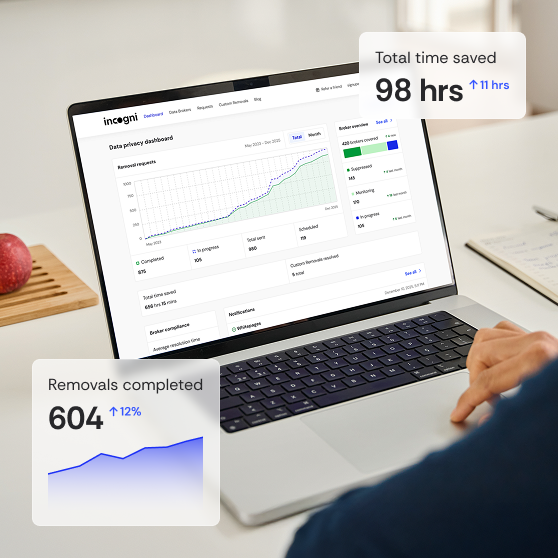
data removal requests completed, thanks to our automated service and privacy experts.

Numbers verified by

Deloitte small logo

2,420+

sites covered in total, including private data brokers and risky websites.

420+

data brokers covered with automated removals.

Numbers verified by

Deloitte small logo

2,000+

additional sites covered by our Custom Removals feature.

Incogni is committed to safeguarding your data.

Learn more

How to remove personal information from Google

To remove private info from Google search, you can use Google tools or remove the data from source sites to stay truly private.

1. Remove your data using Google tools

1. Remove your data using Google tools

Use Google’s “Results About You” to find pages exposing your phone, email, or address and request removals directly from your dashboard.

2. Remove personal data from exposing source sites

Remove or edit exposed info on the websites themselves. Deleting the source prevents your data from being returned to Google Search.

3. Remove your private data from Google devices

Review and clean data stored in your Google profile, Maps, Photos, and synced devices to reduce what can reappear online.

4. Remove data from brokers and public databases

Opt out of data brokers to prevent your data from resurfacing on people-search sites, real estate sites, health databases, and legacy marketing lists.

Why you should remove data from Google and other sources

Google only hides your data from search results—you must remove it from the websites and data brokers exposing it.

Google is just the start

Google is just the start

Hiding results doesn’t delete the exposed data at its source.

Websites hosts your info

Websites hosts your info

If the site keeps the data up, Google will reindex it.

Your data is resold online

Your data is resold online

Your info remains in circulation until you remove it directly.

Protection needs both steps

Protection needs both steps

Remove from Google and exposure sites for lasting safety.

Why you should remove data from Google and other sources

Removing personal information from Google Search is a useful first step, but it is not protection. Google does not own or store your data. It simply shows what already exists on other websites and inside data broker databases.

When you request removal from Google alone, the underlying page still holds your data. That means:

To actually reduce your risk, you must remove your information from the source sites, not just the search results.

Google’s removal policies are limited to specific categories of sensitive information, like address, contact details, financial or medical data, non-consensual explicit content, and more. Many common types of exposed personal data simply don't qualify, which is why contacting the website owner or data broker directly is essential for long-term safety.

If your goal is to remove personal information from Google, remember that Google is only one of many places where your data can be exposed.

How does Incogni remove your data from Google?

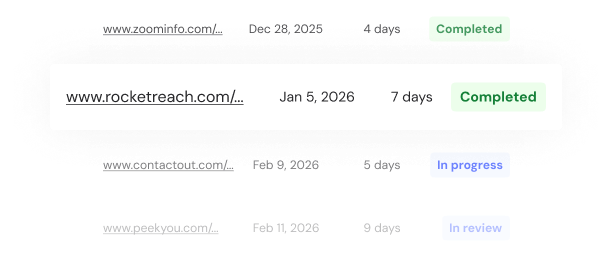
Incogni finds exposed personal data and sends legally binding removal requests to source sites, helping keep it off Google.

How does Incogni remove your data from Google?

Essential Google removal features

Incogni can remove your information from Google and prevent it from reappearing, thanks to our advanced features.

Essential Google removal features

Automated data removal

We automatically remove your data from the brokers that publish it on Google, no work required.

24/7 support options

Get live chat support whenever you need it or call us during the phone support hours.

Continuous protection

We scan for new exposures and remove them automatically to keep your data off Google long term.

Save on year-round protection

Data brokers often republish personal information. Our annual plan continuously gets your information off the internet. Save 55% on annual plans today.

Incogni illustration

Get started today

Protecting your personal information is simple and intuitive with Incogni.

Step 1

Step 1

Sign up

Create an account and provide simple information.

Step 2

Step 2

Give permissions

Grant us the right to legally send requests on your behalf with just a few clicks.

Step 3

Step 3

We get to work

We automatically identify and submit removal requests to data brokers.

Step 4

Step 4

Track progress

Monitor the data removal progress in real time and submit extra links via Custom Removals.

Need more information?

  • No. Google's removal tool only hides the result in search. The information still lives on whatever website or data broker published it. To actually remove it, you must delete it at its source.

30-day money-back guarantee on all Incogni plans

If we don’t meet your expectations, contact our 24/7 Customer Support Team within 30 days of signing up, and we'll refund the full amount paid.